Creative Tech 100
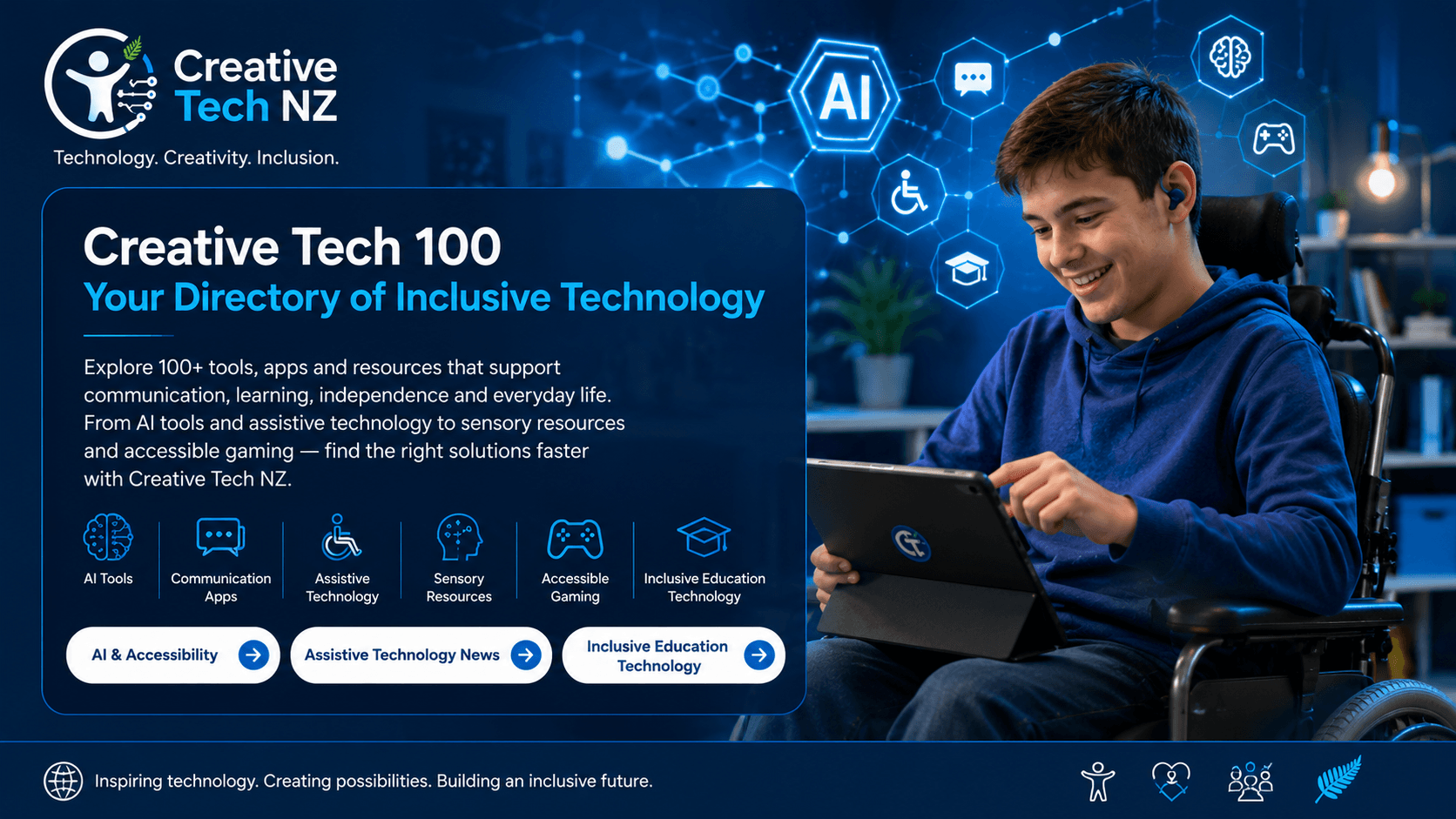
Creative Tech 100 is a growing directory of technology, tools, resources and innovations that can help improve accessibility, communication, learning, creativity and participation for disabled people. Our goal is to create one of New Zealand's most comprehensive collections of creative technology resources, with a special focus on disabled children, families, educators and support networks.
What You Will Find
The Creative Tech 100 directory brings together a wide range of tools and resources including artificial intelligence, assistive technology, communication apps, sensory resources, accessible gaming tools and inclusive education technology. Each resource has been selected because it has the potential to reduce barriers and create opportunities for disabled people.
Some tools support communication. Others help with learning, literacy, sensory regulation, mobility, creativity, gaming or everyday independence. Together they demonstrate how technology can be used to make the world more accessible and inclusive.
Growing Resource Directory
This directory is a work in progress. New tools, apps and technologies are being added regularly as innovation continues to evolve. Our aim is to build a trusted resource that helps families, schools, organisations and disabled people discover technology that may support their individual needs and goals.
Technology That Creates Opportunity
The best technology is not always the most advanced. It is the technology that helps people communicate, learn, create, connect and participate. Creative Tech 100 celebrates tools that have the potential to make a meaningful difference in people's lives.
AI Tools
AI Tools
Artificial intelligence is creating new opportunities for disabled people by supporting communication, learning, literacy, creativity and everyday independence. The tools below are examples of how AI can be used to reduce barriers and help people participate more fully in education, work and community life.
ChatGPT
ChatGPT is an AI assistant that can help users write, learn, organise information, brainstorm ideas and create content. It can be particularly useful for people who need support with literacy, communication, planning or learning new topics.
Microsoft Copilot
Microsoft Copilot combines AI with Microsoft applications such as Word, Excel and Outlook. It can help users create documents, summarise information, draft emails and improve productivity through natural language assistance.
Google Gemini
Google Gemini is an AI-powered assistant that can help users research information, generate content, solve problems and interact with digital information in new ways. It supports text, image and multimodal interactions.
ElevenLabs
ElevenLabs uses advanced AI voice technology to create natural-sounding speech. It can be used for audiobooks, communication support, accessibility projects, storytelling and content creation.
Canva Magic Studio
Canva Magic Studio includes AI-powered design tools that help users create graphics, presentations, social media content, educational resources and visual communications. It can support creativity for people with varying design skills and abilities.
Assistive Technology
Assistive Technology
Assistive technology includes devices, equipment and software designed to help disabled people overcome barriers and participate more fully in everyday life. From communication aids and screen readers to mobility equipment and adaptive software, assistive technology can support independence, learning, employment and social inclusion.
Eye Gaze Technology
Eye gaze systems allow users to control a computer or communication device using their eyes. This technology can help people with limited physical movement communicate, access information and interact with digital devices.
Screen Readers
Screen readers convert digital text into speech or braille output, helping people who are blind or have low vision access websites, documents, emails and other digital content.
Speech-to-Text Software
Speech-to-text technology converts spoken words into written text. It can help people who have difficulty typing, handwriting or using traditional input devices create documents, send messages and complete school or work tasks.
AAC Communication Devices
Augmentative and Alternative Communication (AAC) devices help people who have difficulty speaking communicate using symbols, text, images or synthesised speech. These tools can support communication at home, school and in the community.
Powered Wheelchairs
Powered wheelchairs provide independent mobility for people who may not be able to use a manual wheelchair. Modern models often include advanced controls, seating systems and customisation options that support participation and independence.
Communication Apps
Communication Apps
Communication apps help people express themselves, share ideas, make choices and connect with others. These tools can support people who are non-speaking, have limited speech, communication difficulties or simply need alternative ways to communicate. Modern communication apps can use symbols, text, images, speech output and AI to help people participate more fully in everyday life.
Proloquo2Go
Proloquo2Go is one of the world's most recognised AAC communication apps. It uses symbols, text and speech output to help users communicate with family, friends, teachers and support workers.
TD Talk
TD Talk is a text-based communication app designed for people who cannot rely on natural speech. Users can type messages which are then spoken aloud using synthetic speech technology.
Avaz AAC
Avaz AAC is a communication app designed for children and adults who have difficulty speaking. It uses symbols, pictures and voice output to support communication and language development.
CoughDrop
CoughDrop is a cloud-based AAC communication platform that allows users to communicate using symbols and speech output across multiple devices. It is commonly used in schools and support settings.
Google Live Transcribe
Google Live Transcribe converts spoken conversations into real-time text. It can support people who are deaf or hard of hearing by providing live captions during conversations, meetings and everyday interactions.
Sensory Resources
Sensory Resources
Sensory resources can help people regulate, explore and engage with the world around them. Technology is increasingly being used to create interactive sensory experiences that support learning, emotional regulation, communication and participation. These tools may benefit autistic people, people with sensory processing differences and others who respond well to sensory-based supports.
Sensory App House
Sensory App House develops a range of interactive sensory apps designed to support communication, engagement and sensory exploration. Their apps are widely used by families, schools and therapists working with children and adults with additional needs.
Otsimo
Otsimo offers educational and sensory-friendly activities designed for children with diverse learning and developmental needs. The platform includes interactive games and activities that can support learning through play.
Magic Room
Magic Room technology combines projectors, sensors and interactive software to create immersive sensory environments. Users can interact with digital images, games and activities through movement, creating engaging sensory experiences.
Calm App
Calm provides guided relaxation, mindfulness activities, breathing exercises and calming audio content. It can help users manage stress, improve focus and support emotional wellbeing.
Choiceworks
Choiceworks is a visual support app that helps children understand routines, manage transitions and build independence. It combines visual schedules, timers and emotional regulation tools in a simple and accessible format.
Accessible Gaming
Accessible Gaming
Gaming is more than entertainment. It can support social connection, communication, problem-solving, creativity and participation. Accessible gaming technologies help remove barriers so disabled people can enjoy video games and digital play alongside friends, family and peers. From adaptive controllers to specialist gaming organisations, accessibility is helping make gaming more inclusive for everyone.
Xbox Adaptive Controller
The Xbox Adaptive Controller was designed to support gamers with limited mobility. It features large programmable buttons and can connect to a wide range of adaptive switches, joysticks and assistive devices, allowing players to create a setup that works for their individual needs.
Logitech Adaptive Gaming Kit
Designed to work with the Xbox Adaptive Controller, the Logitech Adaptive Gaming Kit includes large buttons, switches and controls that can be customised to support a wide range of physical abilities and gaming styles.
Tobii Eye Tracker
Tobii Eye Tracker allows users to control compatible games and computers using eye movement. This technology can provide new opportunities for people with limited physical movement to access gaming and digital experiences.
AbleGamers
AbleGamers is an organisation dedicated to improving accessibility in gaming. It provides information, resources and guidance to help disabled gamers find equipment, adaptive solutions and accessible gaming options.
SpecialEffect
SpecialEffect is a charity that helps disabled people access video games through specialist equipment, custom setups and technology solutions. Their work demonstrates how gaming can support inclusion, confidence and quality of life.
Inclusive Education Technology
Inclusive Education Technology
Inclusive education technology helps remove barriers to learning and creates opportunities for all students to participate in the classroom. From literacy support tools and accessible learning platforms to communication technology and digital accessibility solutions, these resources can help teachers create more inclusive learning environments for disabled students and diverse learners.
Book Creator
Book Creator allows students to create interactive digital books using text, images, audio, video and drawings. It provides multiple ways for students to demonstrate learning and express creativity, making it a valuable tool for inclusive classrooms.
Microsoft Immersive Reader
Microsoft Immersive Reader helps improve reading accessibility by offering features such as text-to-speech, line focus, picture support, translation tools and adjustable text settings. It can support students with dyslexia, learning difficulties and diverse literacy needs.
Read&Write
Read&Write is a literacy support tool that offers text-to-speech, speech-to-text, word prediction, vocabulary assistance and reading support features. It helps students access learning materials and complete written tasks more independently.
Google Classroom
Google Classroom provides a flexible digital learning environment that allows teachers to share resources, assign work, provide feedback and support communication. Its accessibility features can help create more inclusive learning experiences for students with different learning needs.
Khan Academy
Khan Academy offers free educational content covering a wide range of subjects and learning levels. Students can learn at their own pace through videos, interactive activities and personalised learning pathways, making it a useful resource for diverse learners.